Make more informed commitments.
Assess feasible production dates and see the effect of new demand on existing orders.
Connect demand, materials, people and machines in one production schedule. Understand what can run, when it can run and how each decision affects delivery.
 Production planning. In one connected view.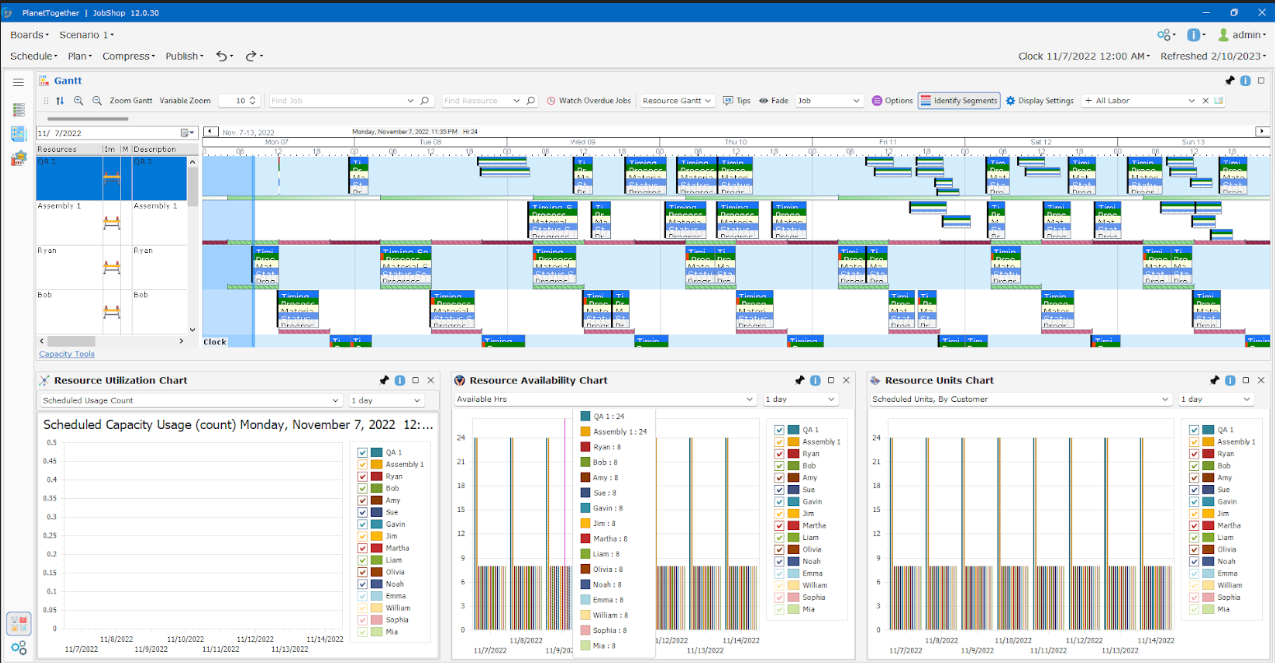
PlanetTogether APS product image. Illustrative example.
Your CAI PlanetTogether value-added reseller & partner.Industrial expertise. Connected systems. Practical implementation.
A production plan needs to account for more than order dates. Machines, material receipts, labour, tooling and changeovers all shape what is possible.
CAI PlanetTogether brings these constraints together so your teams can assess the trade-offs before releasing work. Connect planning, operations, supply chain and sales around a shared, achievable schedule.
Assess feasible production dates and see the effect of new demand on existing orders.
Reduce manual replanning and compare recovery options when production conditions change.
Understand resource loading, work in progress and changeover trade-offs before adding cost.
Bring the details that shape your factory into the decisions that shape your schedule.
Build schedules around available machines, shifts, labour and resource capabilities. Identify overloaded work centres and explore alternative resources or additional time.
Align production with inventory, expected receipts, bills of materials and routings. Make shortages visible and see which orders depend on a delayed material.
Account for sequence-dependent setups and production priorities. Compare how grouping compatible work affects setup time, resource use and delivery commitments.
Test a rush order, equipment outage, extra shift or changing demand in a separate scenario. Compare the effects before choosing a revised schedule.
Assess a new order against available materials and capacity. Use a simulated job to estimate feasible production dates and understand the constraints behind the answer.
Use Gantt schedules, capacity views and planning dashboards to coordinate decisions. Support multiple planners and facilities with visibility into loading, priorities and changes.
Bring resource loading, constraints and planning measures into a shared view. Give your teams a clearer starting point for the next scheduling decision.
Explore the APS product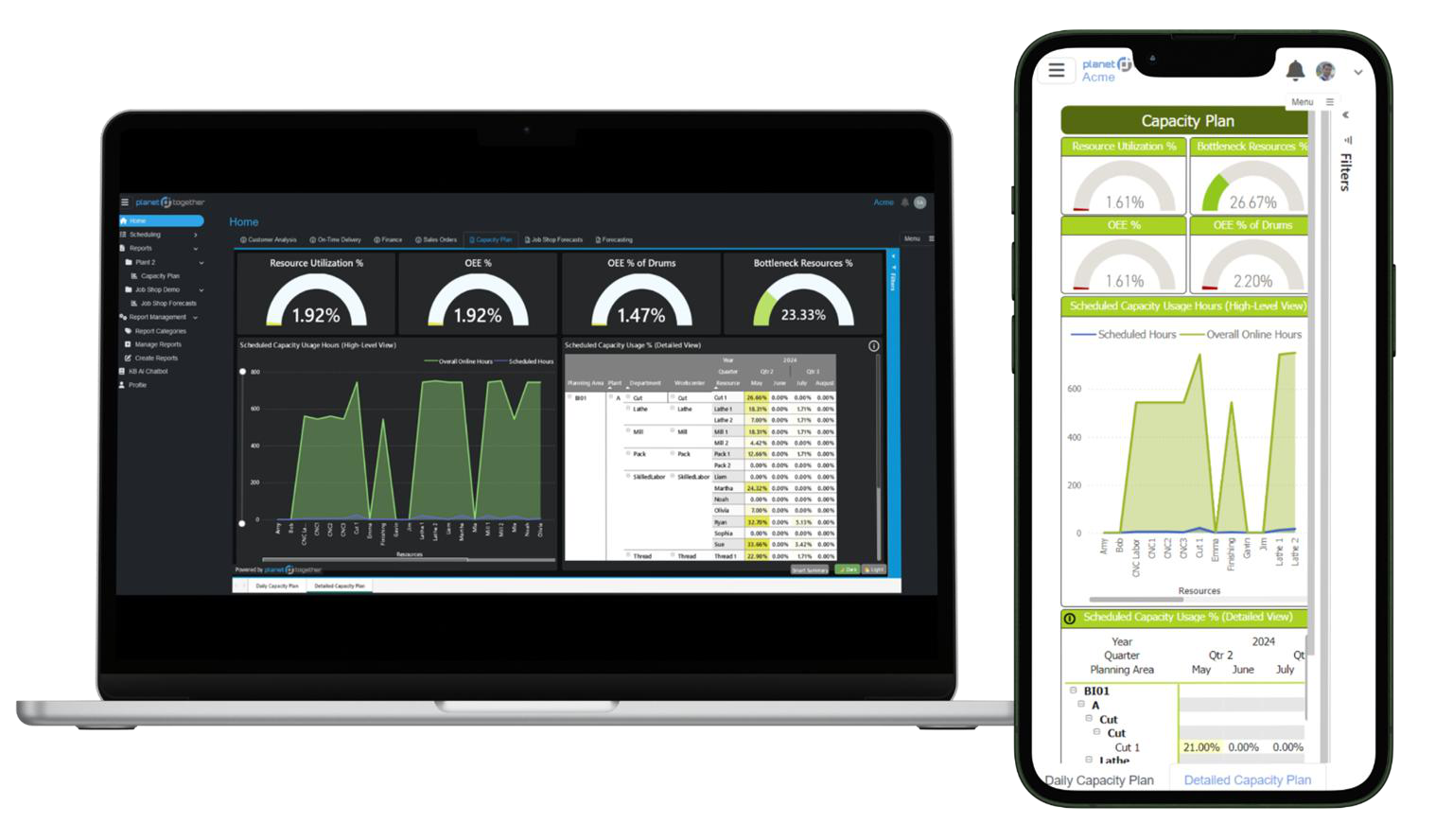
Explore the questions your planners face every day, using your production rules and representative data.
Illustrative planning questionsCan we accommodate it with current capacity? Compare the effect on existing commitments, alternative sequences and additional shifts.
What work is affected? Review capable alternative resources and recovery options against the orders that matter most.
Would grouping compatible products help? Examine setup time and resource loading alongside the delivery trade-off of longer campaigns.
Which jobs can still run? See what should move and what purchasing, production and customer service need to review together.
CAI PlanetTogether adds detailed planning and scheduling to your technology environment. ERP supplies business and master data. MES and operational systems supply production progress. APS uses that information to calculate and revise the plan.
Orders, due dates, inventory, purchase receipts and routings.
Demand & master dataCapacity, materials, calendars, sequencing rules and scenarios.
A feasible production scheduleWork priorities, progress, completions and resource status.
Execution & feedbackOrders, material availability, resource capacity, calendars and production updates.
Planned start and finish dates, resource assignments, work sequences and priorities.
Integration options include APIs, database connections, file exchange and middleware. Examples include SAP, Microsoft Dynamics, Oracle, NetSuite and AVEVA MES. TEXVIA defines the connections, data mappings and update frequency around your systems and project scope.
Explore product integration optionsWe bring CAI PlanetTogether together with industrial technology, systems integration and delivery expertise.
From choosing the right starting scope to helping planners use the system, we build the implementation around your people, processes and production priorities.
Review planning pain points, constraints, decision rules and data readiness. Agree the initial scope, licensing needs and measures of progress.
Translate production into resources, calendars, routings and scheduling rules. Prepare and validate the ERP and operational data connections.
Work through representative orders and disruption scenarios with planners. Refine the model, train users and prepare the agreed go-live scope.
Review schedule quality, model assumptions and user feedback. Extend the solution as planning practices and business requirements evolve.
CAI PlanetTogether supports process, batch and discrete manufacturing. Relevant environments include food and beverage, life sciences, chemicals, packaging and industrial manufacturing.
Yes. The platform supports data exchange with ERP, MES and other planning systems. The specific interfaces, data mappings and refresh frequency are defined during project design.
Both deployment approaches are available. TEXVIA can help assess the appropriate setup, application access and integration requirements for your environment.
Start with the planning decisions that matter most, representative production data and a clear initial scope. We can then map the constraints, demonstrate relevant scenarios and define the implementation approach.
Tell us where scheduling becomes difficult. Let’s explore how CAI PlanetTogether APS could fit your operation.
Discuss your planning challengesCAI PlanetTogether product names and imagery belong to their respective owners.